


Table of Contents
A 10DLC Trust Score is a numerical rating from 0 to 100 that determines how reliably your organization can send A2P (application-to-person) text messages through US carrier networks. The higher your score, the faster your messages are delivered, the lower your sending costs, and the less likely your messages are to be filtered or rejected by carriers.
With the global A2P SMS market expected to reach $105.4 billion by the end of 2031, more organizations are competing for reliable message delivery — and the 10DLC Trust Score is the key factor carriers use to decide whose messages move first.
Those with a lower score may face delays in message delivery, increased costs, or outright message rejection. In this article, we dive deep into what determines your 10DLC Trust Score and exactly how you can improve it.
What is a TCR Trust Score?
A TCR Trust Score is assigned during the registration of a brand with The Campaign Registry (TCR). The score ranges from 0 to 100, where a higher score indicates better trustworthiness in the eyes of carriers and messaging providers.
In practical terms, a 10DLC Trust Score is the carrier-facing rating that controls how fast and reliably your A2P text messages can be sent at scale.
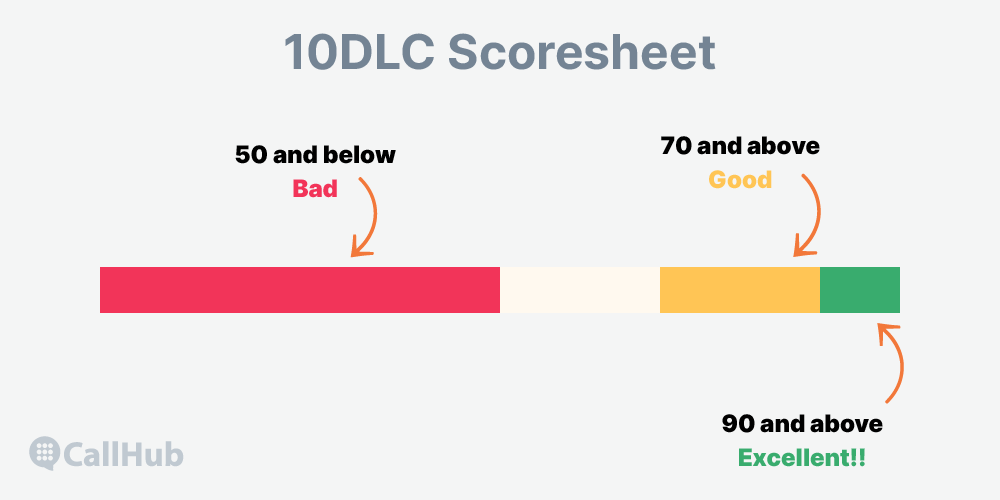
A Trust Score of 90 and above is excellent and may result in faster message delivery and lower costs. A Trust Score above 70 is considered good, while a score of 50 or lower is considered poor.
During the brand registration process, an algorithm evaluates certain criteria related to your brand to determine the Trust Score. Your messaging throughput (MPS) increases as your Trust Score increases. Here, “brand” does not refer to a marketing label but to the name of your organization or campaign.
When using vetting partners like Campaign Verify, no numerical score is given. Instead, brands that pass the vetting process using a Campaign Verify token will have an “Active” status under their TCR Score. Throughput in this case will depend on the limits of the political special use case campaign.
| Note: To run political campaigns, brands go through the Campaign Verify process which is facilitated by TCR partner, Campaign Verify. |
What factors determine your Trust Score?
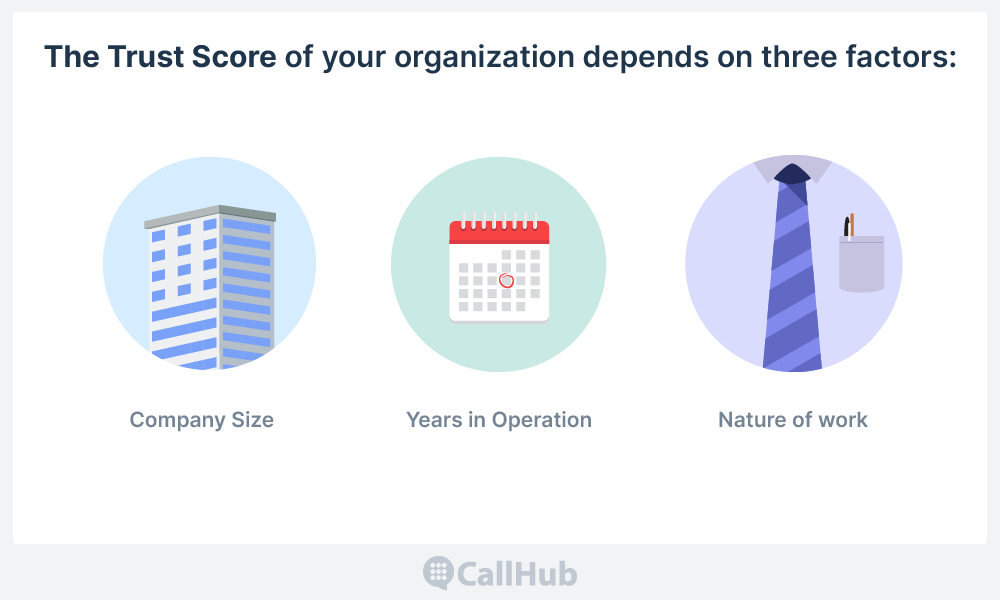
The Trust Score of your organization depends on three factors:
- Company size
- Years in operation
- Nature of work
Company size
All companies earn points based on their size, which is determined by independent sources of employee count and revenue.
Generally, larger companies tend to have a higher Trust Score because they are perceived to be more established and reputable. Smaller companies and those with limited business presence tend to receive lower scores in most cases.
Years in operation
Generally, the longer a company has been in business, the higher their Trust Score may be. This is because longer operating companies are often viewed as more reliable by carriers.
Some carriers may use the age of a company’s website domain as a factor in their Trust Score calculation, with older domains being viewed as more trustworthy. But there is no publicly available documentation on what year is considered “old” enough.
Nature of work
If a company has a history of sending spam or violating messaging regulations, the Trust Score may be negatively affected.
How Trust Score affects your message throughput
Your 10DLC Trust Score and campaign type together determine the number of messages per second (MPS) you can send. For teams running 10DLC campaigns, throughput is one of the most important operational outcomes tied to your score.
Declared use cases
Declared use cases are pre-approved by messaging providers and typically support higher message throughput. A declared use case means you have chosen one particular non-marketing use case. Examples include:
- security alerts
- public service announcements
- polling and voting (not political)
- higher education
- fraud alert messaging
- delivery notifications
- customer care
- account notifications
- and two-factor authentication (2FA)
The message throughput range for declared use cases can vary depending on the messaging provider.
| Trust Score | Total SMS MPS for major US networks | Total SMS MPS for minor US networks |
| 75-100 | 225 | 75 |
| 50-74 | 120 | 40 |
| 1-49 | 12 | 4 |
| 0 (Skipped secondary vetting) | 12 | 4 |
Mixed or marketing use cases
Mixed or marketing use cases have different message throughput compared to declared use cases. These are often intended for businesses that want to promote their products or services through SMS, or for customers who want to use the same set of numbers for multiple use cases.
| Trust Score | Total SMS MPS for major US networks | Total SMS MPS for minor US networks |
| 75-100 | 225 | 75 |
| 50-74 | 120 | 40 |
| 1-49 | 12 | 4 |
| Low volume mixed campaign (Independent of the Trust Score) | 3.75 | 1.25 |
Starter use cases
Starter use cases are intended for small businesses and have lower message throughput. If you already have a registered starter brand or campaign, you can send up to 3,000 SMS segments and MMS per day in the US using one long code phone number. Note that new starter brands or campaigns can no longer be created. Starter campaigns do not have a Trust Score and have a fixed throughput of up to 10.25 MPS for major networks and 0.25–1 MPS for minor networks.
Special use cases
Special use cases, such as emergency alerts or critical communications, may have different message throughput requirements depending on the urgency of the message.
They sometimes require additional carrier review. For special use cases, the Trust Score will not affect message throughput.
| Quick takeaway for compliance teams: If you manage texting operations for a political campaign, nonprofit, advocacy group, labor union, or church, the practical takeaway is simple: your 10DLC Trust Score directly affects how much sending capacity you get and how smoothly your messages move through carrier systems. A stronger score won’t fix poor consent practices or non-compliant content, but it does reduce unnecessary friction when your registration data is accurate and your campaigns are set up correctly. |
How to maximize your Trust Score

A high 10DLC Trust Score means higher message throughput, better deliverability, and ultimately better engagement.
The fastest way to improve a low score is to remove registration mismatches. Here are the best practices for doing that.
Ensure there are no data discrepancies
Data discrepancies between the information provided during your A2P registration and your official business registration can result in a low Trust Score. This information may include your business address, tax ID, or brand name.
Brand name: Use the legally registered company name when submitting brand information. Many companies use a trading name or the name of their messaging provider, which can negatively impact their Trust Score. The legal name must not be abbreviated in any way and should appear exactly as it is filed with the tax authority.
EIN: Non-profit and political organizations need to ensure that the Employer Identification Number (EIN) matches the Legal Company Name in the Tax-Exempt Organizations or Registered Political Organizations list.
For private or public for-profit companies, the EIN and Legal Company Name provided during registration must match business registration sources.
Address: Submit the official company address during registration. Providing the address of a local branch or any other address may lead to a mismatch, resulting in a negative impact on your Trust Score.
Stock ticker symbol: When registering a brand for public for-profit companies, ensure that the stock ticker symbol and designated stock exchange match available sources.
Available stock ticker values are as follows:
- NONE
- NASDAQ
- NYSE
- AMEX
- AMX
- ASX
- B3
- BME
- BSE
- FRA
- ICEX
- JPX
- JSE
- KRX
- LON
- NSE
- OMX
- SEHK
- SGX
- SSE
- STO
- SWX
- SZSE
- TSX
- TWSE
- VSE
If you are a US-based company, you can try the following methods to locate your company’s EIN (Employer Identification Number):
- Access the SEC’s EDGAR system for free, if your company is registered with the Securities and Exchange Commission (SEC).
- Contact your company’s finance office or accountant and request the EIN.
- Search for any online federal or local tax filings or W2 forms related to your company to locate the EIN number.
This is how you can verify your business details:
- For US-based businesses, using the HIPAASpace lookup website and entering the EIN can help in verifying the information.
- Nonprofits can use the Results for Tax Exempt Organization Search from the US IRS to validate the brand’s status.
Do not use your DUNS number
Using your DUNS number instead of your EIN can negatively affect your Trust Score. DUNS numbers are often used for credit reporting but are not always accurate or up-to-date for A2P messaging purposes. EINs are issued by the IRS specifically for tax purposes, which is why they are the preferred method of identification for A2P messaging.
If you are based outside of the US, provide a valid tax ID
You must provide a valid tax ID from your country to maximize your Trust Score. Country-specific guidance:
- Canada: Use your Provincial Corporation Number or a federally-issued Canada Corporation Number. Do not use the business number or federal tax ID.
- Hong Kong: Use your Companies Registry (CN) number.
- New Zealand: Use your New Zealand Business Number (NZBN).
- Australia: Use your Australian Business Number (ABN).
- Europe: Use the VIES VAT number validation lookup before submitting.
All other countries: Provide the numeric portion of your VAT ID, or your primary corporation registration or tax ID number.
Pro tip: Check with your local tax authority to determine the appropriate tax ID for your business in your country.
Do not use your SSN to register your brand
Using your Social Security Number (SSN) o register your brand may negatively impact your Trust Score and pose privacy risks. Instead, use an EIN or other applicable tax identification number.
The Campaign Registry has designed the Sole Proprietor use case to allow individuals without an EIN to register for A2P 10DLC messaging.
Here are the main requirements, according to Twilio:
- Only one campaign is allowed per brand with a maximum of one associated telephone number.
- The campaign has a limit of 1000 messages per day for some carriers and 15 messenger per minute for some.
- Users must pass a two-step verification process: Data validation and OTP phone verification.
If you are a sole proprietor and filed your taxes using your SSN, follow these guidelines to ensure compliance with A2P 10DLC registration:
- If you have a Tax ID (EIN), you cannot register as a Sole Proprietor entity. If you currently have active Sole Proprietor entities and a Tax ID (EIN), you will need to re-register your campaigns as Standard Brands. We suggest that you register as a Low-Volume Standard Brand for better results.
- Sole Proprietorship brands must provide complete and valid details, including a valid business name, first name, last name, email address, phone number, and physical address. These fields should not contain obfuscated data.
- There are new limits on Brands per Validation, meaning that each phone number can only validate 3 or fewer brands, while each email or physical address can only validate 10 or fewer brands. These limits apply for all US A2P 10DLC registrations in the ecosystem.
- Only valid addresses in the US and Canada will be accepted for Sole Proprietorship registration. Sole Proprietorship entities are limited to one campaign and one phone number.
- Customers must confirm their identity using a One-Time Password (OTP) verification to keep their Sole Proprietor Brands registered.
Keep your messaging content compliant
Keep your messaging content compliant by avoiding any content that violates carrier or industry regulations, such as
- Sending unsolicited messages,
- Using deceptive language, or
- Promoting prohibited products or services.
Avoid sending spam
Spam messages are unsolicited and irrelevant. They can damage your brand reputation and cause carriers to flag your messages. Keep your messaging content relevant to your subscribers and ensure they have given you consent to receive your messages.
Read Also: STIR/SHAKEN Compliance Guide: Stop Spam Flags Now
Use a registered brand
Ensure that the brand name used in your A2P messaging campaign is registered with the appropriate regulatory body in your country. This helps carriers easily verify the authenticity of your brand and can lead to a higher Trust Score.
What if I am not happy with my 10DLC Trust Score?
You can appeal for free within 45 days of receiving your 10DLC Trust Score.
Email [email protected] and include your brand name or vetting ID, which you can obtain from your support team. However, if it has been more than 45 days since you received your score, a secondary vetting fee (typically around 40–41.50 USD, depending on your provider) is required for the appeal request.
Is your 10DLC Trust Score putting your messaging strategy at risk?
A low 10DLC Trust Score can pose challenges in terms of message throughput and carrier-level filtering. Follow the guidelines outlined in this article to improve the Trust Score and increase message delivery rates.
The Trust Score is not designed to go against a texting strategy but rather to keep your communications clean, organized and officially vetted. Obtaining and maintaining a Trust Score has now legally become a part of your messaging strategy, not an obstacle to it.
For your next steps, you can learn more about A2P 10DLC through our comprehensive guide; Or if you are ready to start using 10DLC, CallHub users can register through the platform.
FAQs on 10dlc trust score
What is a 10DLC Trust Score, and why does it matter?
A 10DLC Trust Score is a rating (0-100) assigned to your organization during A2P messaging registration. It determines your SMS throughput, delivery speed, and message approval rates. Higher scores mean better deliverability and fewer carrier restrictions.
What is considered a good 10DLC Trust Score?
A score above 70 is considered good, while 90+ is excellent. Scores below 50 may result in slower delivery, higher costs, or message blocking.
. How is the 10DLC Trust Score calculated?
It’s based on company size, years in operation, and compliance history. Accurate business information, legal registration, and a clean messaging record all help improve your score.
Does my organization’s size affect our Trust Score?
Yes. Larger, established organizations typically receive higher scores due to perceived reliability. Smaller or newer organizations may need to provide extra documentation.
What can lower my 10DLC Trust Score?
Data mismatches (e.g., legal name, EIN, address), use of DUNS instead of EIN, history of spam or non-compliance, and incomplete registration can all lower your score.